


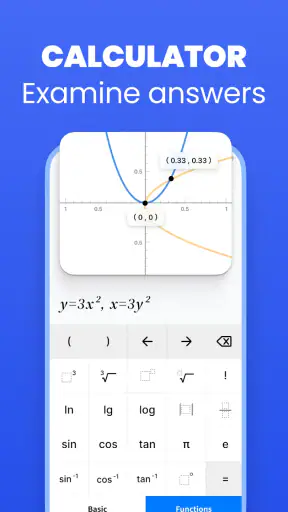
I tried Solvely as a study companion rather than treating it as a magic answer button, and that distinction matters. This free education app from Aignite Inc. is built around solving problems from a photo or typed prompt, with coverage intended for school and college work. In everyday use, its biggest value is speed: when I am stuck on the first step of an exercise, I can use it to get an explanation moving instead of spending twenty minutes staring at the same line.
That convenience also creates the app’s main responsibility for the user. A finished answer is not the same as understanding why the answer works. I found Solvely most useful when I checked its reasoning, copied the method into my own notes, and then tried a similar problem without assistance. Used that way, it feels like a practical homework helper. Used only to photograph every assignment and transcribe the result, it becomes much less valuable as a learning tool.
How I use Solvely from the first scan to a useful explanation
The baseline workflow is simple, but the question still matters
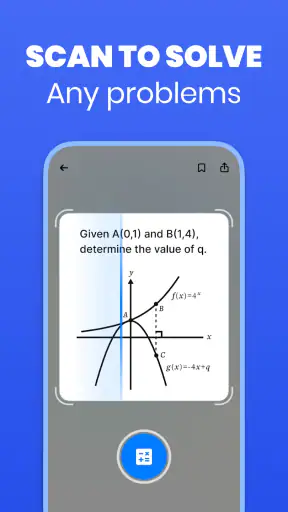
The natural starting point is the camera-based workflow. I frame a problem, scan it, and review what the app has interpreted before relying on the result. That small pause is important. A blurry exponent, a negative sign, a fraction bar, or a handwritten variable can change the entire problem. When the input is clean, the process is quick. When it is not, the answer may look confident while solving a slightly different question.
Typed input is a better choice when the original page is crowded, the handwriting is difficult, or the exercise contains several unrelated parts. It takes longer at the beginning, but it gives me more control over the exact expression. I especially prefer typing for algebraic notation where a misplaced symbol would be hard to notice in a photographed worksheet.
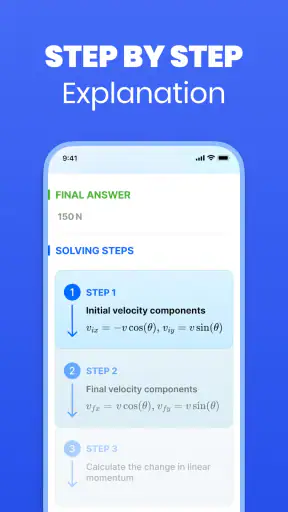
After receiving a solution, I do not stop at the final line. I read the intermediate work and ask whether the transformation matches the rule being taught in class. For a linear equation, that might mean checking that the same operation was applied to both sides. For a word problem, I look at how the quantities were translated into an equation. This habit turns the app from an answer generator into a quick second explanation.
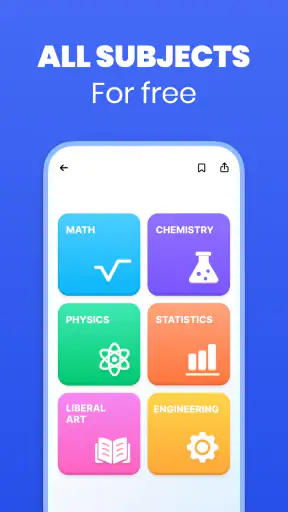
The app is designed for more than mathematics, and that broad scope affects how I approach it. A numerical exercise usually has a clear target and a straightforward way to verify the result. A question in another subject may require interpretation, context, or a particular classroom method. I would therefore use the scan as a starting point for research or revision, not as an unquestionable authority on every academic topic.
A realistic study session shows where it earns its place
Imagine finishing a long school day with a worksheet containing equations, graphs, and a written question. I would scan one problem at a time instead of photographing the entire page and hoping the app separates everything correctly. For each result, I would mark the step that caused trouble, then return to those steps later. This creates a short list of actual weaknesses rather than a pile of copied answers.
That workflow is also useful before asking a teacher or tutor for help. If I can identify the exact transition I do not understand, my question becomes specific: I can show the original expression, the app’s explanation, and the line where my own work diverged. Solvely cannot replace that conversation, but it can make the conversation more productive.
For revision, I use a solved example as a pattern rather than as a submission. I cover the final answer, recreate the method on paper, and then change one value in the problem to see whether I can repeat the process. This is one of the less obvious ways to get value from a solver: the important test is not whether it solved the photographed exercise, but whether I can solve a nearby exercise afterward.
What the app feels like in the wider education category
Compared with a traditional calculator, Solvely is more helpful when the difficulty is the method rather than the arithmetic. A calculator can confirm a result, but it usually does not explain how an equation was rearranged or how a written problem became a formula. Compared with a textbook, the app is faster for a single obstacle, though a textbook normally gives a more carefully structured lesson and a broader set of examples.
It also occupies a different space from a general search engine. Searching the web can produce many explanations, but sorting through them takes time and the wording may not match the problem in front of me. A focused solver can be more direct. On the other hand, a search engine or a trusted course resource is often better when I need background theory, diagrams, historical context, or a full lesson rather than an answer to one prompt.
The practical advantage is therefore narrow but meaningful: Solvely is strongest at reducing the distance between “I am stuck” and “I can see the next step.” It is not automatically the best tool for learning an entire chapter, checking every nuance of a non-mathematical subject, or replacing deliberate practice.
Settings and habits worth checking before regular use
I would begin by checking the app’s available input and display choices rather than immediately scanning homework. The useful question is not how many options appear, but which setup makes mistakes easier to spot. A readable result, a clear camera view, and a prompt that contains only the intended exercise are more valuable than rushing through a cluttered screen.
When a page contains diagrams, tables, or multiple parts, I crop my attention to one task at a time. Even if the camera can see the whole sheet, isolating the relevant expression makes the request easier to understand and the response easier to inspect. This is particularly helpful with geometry or graph-related work, where surrounding labels can be mistaken for part of the question.
I also keep the original problem visible while reading the solution. Switching mentally between memory and the generated explanation makes it easy to overlook a changed sign or unit. Comparing line by line is slower, but it catches the kind of small input error that can otherwise lead to a completely misleading conclusion.
Because the app is free to install but includes in-app purchases ranging from a small amount to a substantially higher amount per item, I would review any purchase prompts carefully before making Solvely part of a daily routine. I would not assume that every useful capability belongs to the same access level. A sensible approach is to start with the basic workflow, decide whether the explanations genuinely help, and only then consider whether an optional purchase fits the way I study.
The age rating is Everyone, which makes the app approachable for a wide range of learners. That does not remove the need for adult guidance with younger students, especially around submitting generated work or treating an explanation as proof. The educational habit matters more than the age label: children and teenagers benefit when a parent or teacher asks them to explain the result in their own words.
Faster patterns that save time without weakening learning
The quickest experienced workflow is not simply “scan faster.” It is preparing better inputs. I remove visual clutter, make sure the full expression is inside the frame, and avoid combining unrelated questions. A clean prompt reduces the need to repeat a scan and makes the explanation easier to compare with the worksheet.
For a sequence of similar exercises, I solve one representative example carefully, study the method, and then attempt the next few independently. I return to Solvely only when the pattern breaks. This is faster than outsourcing every line, and it gives me a better sense of whether I actually understand the rule or merely recognize a repeated format.
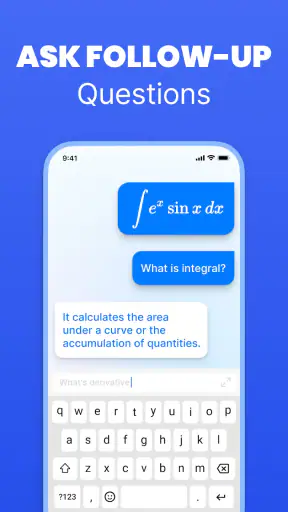
Another useful pattern is to ask for help at the point of failure rather than after abandoning the entire problem. If I can complete the setup but cannot simplify the expression, I focus my attention on that stage. If I cannot translate a word problem into mathematics, I use the result to examine the modeling step. The narrower the obstacle, the easier it is to turn the explanation into a reusable skill.
I also compare the app’s result with a rough estimate. Before accepting a numerical answer, I ask whether its size and sign make sense. This catches obvious mistakes and protects against a correctly processed but incorrectly photographed question. In practical terms, a ten-second reasonableness check is one of the best companions to any scan-based solver.
For students preparing for an exam, I would use the app after an independent attempt, not before it. First write down the method you think applies. Then use Solvely to compare approaches and identify the exact disagreement. This preserves the productive struggle that builds recall while still giving quick feedback when the work goes off track.
Where the scan-and-solve approach reaches its limits
Recognition is the first possible failure point. Printed textbook questions are usually easier to capture than rushed handwriting, low contrast, unusual notation, or pages filled with annotations. A result that does not match the visible question should be treated as an input problem first, not as evidence that the mathematics is wrong.
There is also a difference between solving and teaching. An explanation can show valid steps without addressing the misconception that caused me to make a mistake. If I repeatedly confuse factoring with expanding, for example, I need targeted practice and feedback, not just another completed solution. Solvely can reveal the correct route, but it cannot automatically know which mental habit needs rebuilding.
Multi-stage assignments can be awkward when context is spread across a page. A single scan may not communicate the teacher’s instructions, definitions introduced earlier, or a diagram that must be interpreted alongside the text. In those cases, I would type the relevant context or use a classroom resource that presents the whole lesson together.
The broad “any subject” promise should also be approached thoughtfully. Mathematics and clearly structured exercises are natural fits for a solver. Essays, open-ended interpretations, and questions where evidence quality matters require judgment that a quick generated response cannot replace. For those tasks, I would use the app, if at all, to clarify a narrow point and then verify the substance through class materials.
Privacy and academic honesty are practical considerations even when an app is easy to use. I would avoid scanning personal information, exam papers, or material that a school specifically prohibits sending to outside tools. I would also treat the generated response as study assistance rather than work to submit unchanged. The safest rule is simple: if I could not explain the answer without the app open, I am not finished learning it.
Who will benefit most, and who should choose another tool
Solvely is a good fit for students who often understand a lesson until one exercise introduces an unfamiliar arrangement. It is also useful for parents helping with homework, adult learners refreshing school mathematics, and college students who need a quick check while working through practice questions. The camera input makes it especially convenient when the problem already exists on paper.
It is less suitable for someone looking for a complete, carefully sequenced course. A dedicated learning platform with lessons, quizzes, spaced review, and progress tracking may be a better choice for building a subject from the ground up. Likewise, students who need a graphing environment, symbolic experimentation, or extensive manual control may prefer a specialized mathematics tool.
I would also hesitate to recommend it as the only resource for high-stakes preparation. It can help locate weak spots and explain individual problems, but exam success depends on timed practice, remembering methods without prompts, and understanding the conventions used by a particular course. The app supports that preparation; it does not provide the whole preparation system.
Version, availability, and the practical value of trying it
The current version is 3.0.3, and it runs on Android starting with version 8.0. It is free to download, carries an Everyone content rating, and has grown to more than five million installs. Its average rating is 4.6 from around eighty-eight thousand ratings, with roughly nine hundred fifty written reviews, so there is clear interest in this style of study assistance without that popularity removing the need for personal judgment.
The developer is Aignite Inc., and the app belongs firmly in the education category rather than the ordinary calculator category. That distinction reflects how I would use it: as a way to interpret and work through questions, not merely to perform arithmetic. If your device meets the Android requirement and you want quick help with photographed exercises, the free starting point makes experimentation easy. Just keep purchase choices and school rules in mind.
My verdict after using a repeatable study routine
I recommend Solvely to anyone who wants a fast second pair of eyes on homework and is willing to do the learning work after the answer appears. Its best qualities are the low friction of scanning a problem, the usefulness of step-based assistance, and the ability to move between school-level and college-level questions. I especially like it for diagnosing where my process broke, not for replacing the process entirely.
My preferred routine is consistent: isolate one problem, check the captured text, read the reasoning, verify the result with an estimate or another method, and then solve a similar example alone. That sequence makes the app more reliable and more educational than simply collecting final answers. It also exposes its limits quickly, which is useful when deciding whether I need a textbook, teacher, calculator, or specialist tool instead.
My final take: this is a capable free homework companion, but its real value depends on how actively I use it. If you want instant answers with no intention of reviewing the method, I would skip it and choose a tool that matches your actual goal. If you want help getting unstuck, checking a photographed exercise, and turning mistakes into focused practice, Solvely is worth trying.


